MAKER TUTORIALHow to pair Bluetooth module
BUILDCIRCUIT · 2023-02-10
Step 1: Go to your phone settings and turn on the Bluetooth.
Step 2: Turn on the scoreboard and make sure the Bluetooth module's LED is flashing.
Step 3: On the Bluetooth settings page, search Bluetooth with the name ‘SCOREDUINO’ and pair it up using code: 1234.
Step 4: Open the app and press CONNECT. Find SCOREDUINO and select it. You will immediately hear 'SCOREBOARD IS CONNECTED'. Then you can use the scoreboard.
[caption id="attachment_12908" align="alignnone" width="349"]
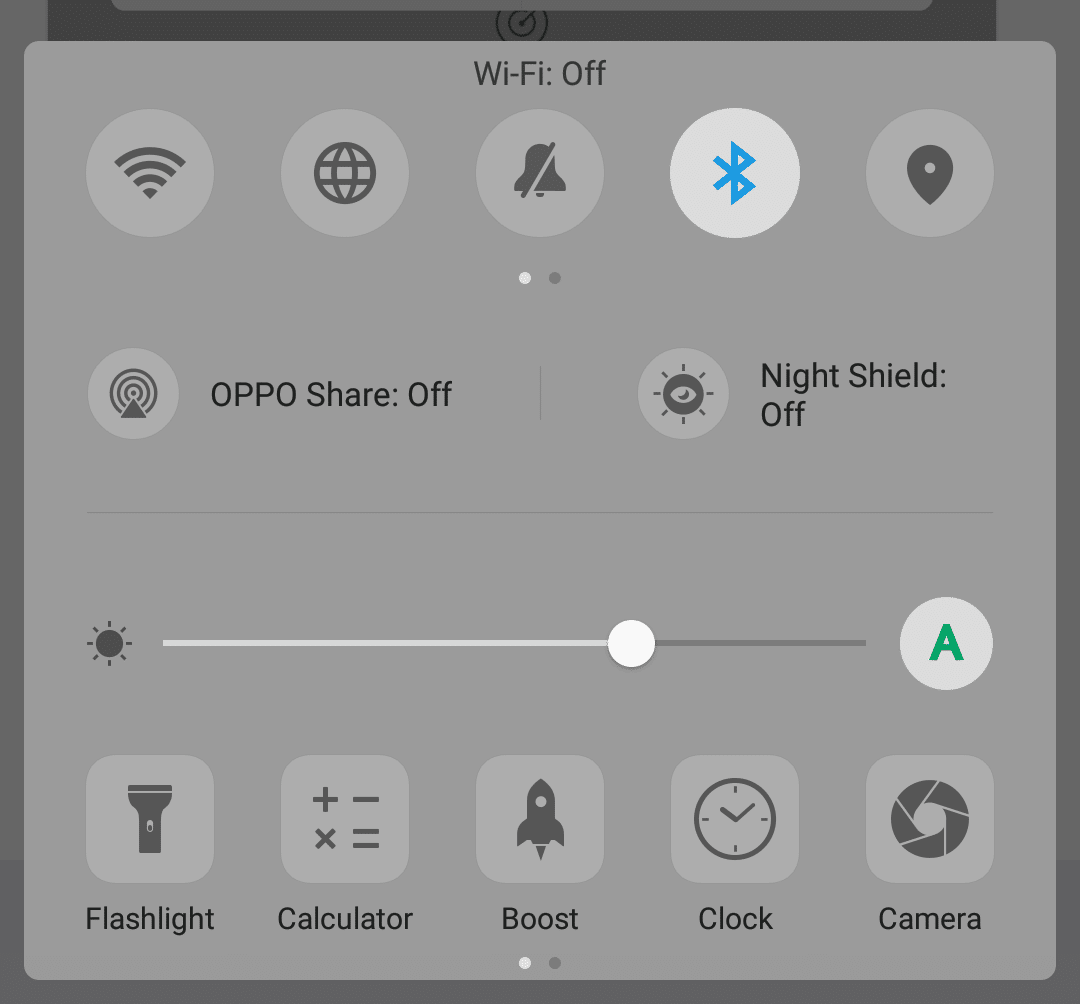
Turn on Bluetooth of your phone[/caption]
[caption id="attachment_12901" align="alignleft" width="333"]
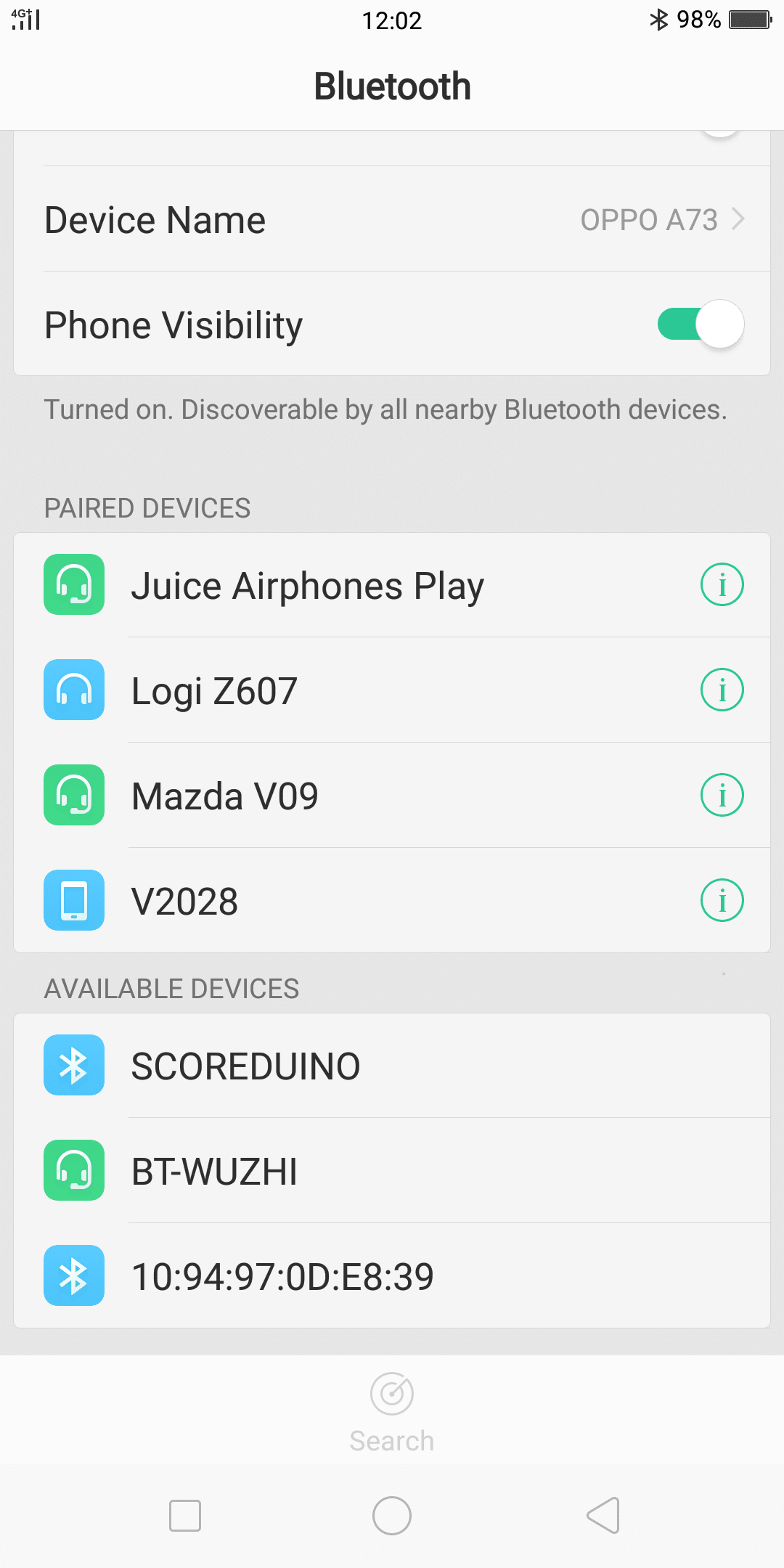
Go to Bluetooth Setting and search for SCOREDUINO[/caption]
[caption id="attachment_12903" align="alignnone" width="335"]
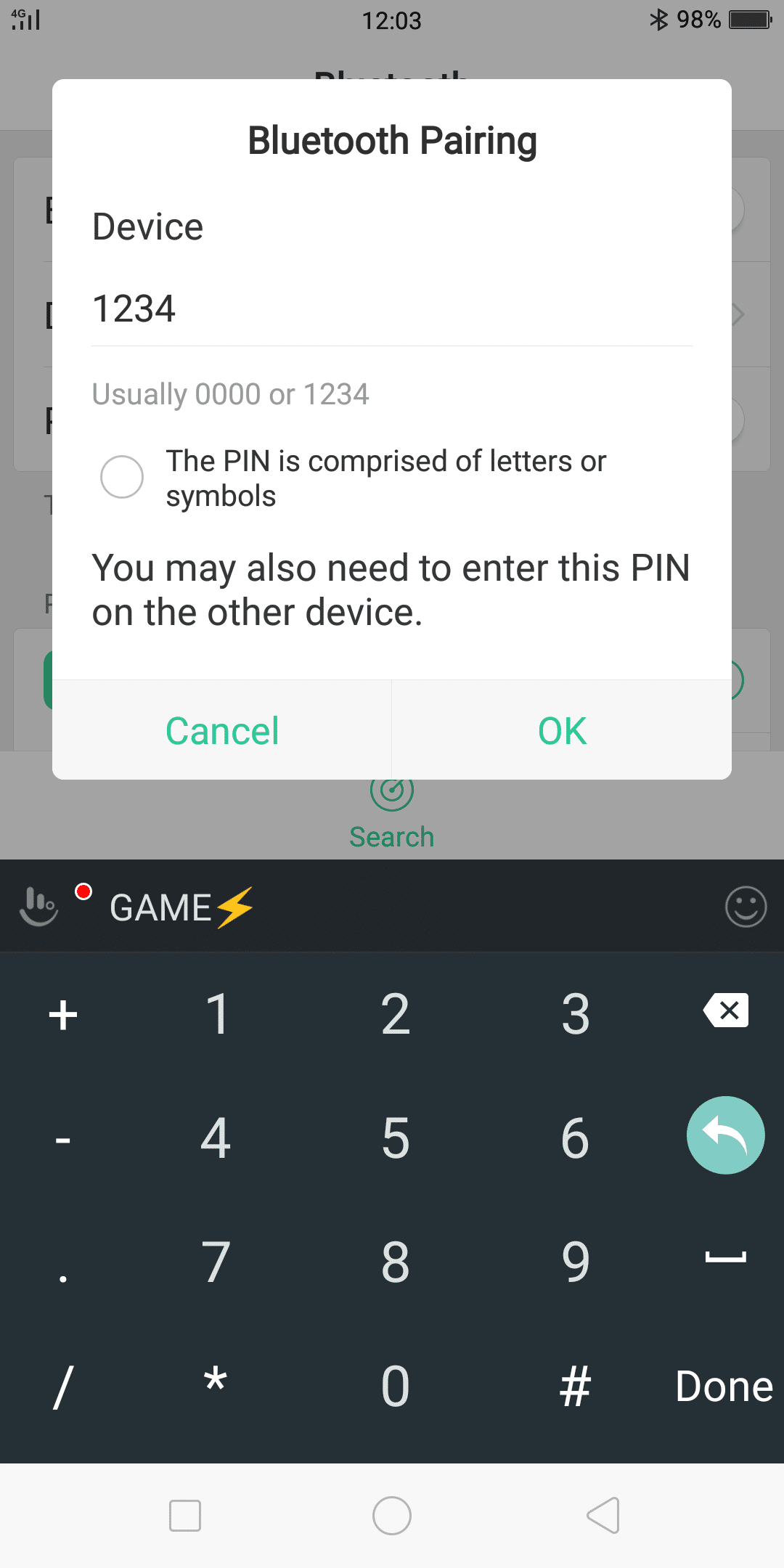
After you find SCOREDUINO, select it and pair it using code 1234[/caption]
[caption id="attachment_12904" align="alignnone" width="361"]
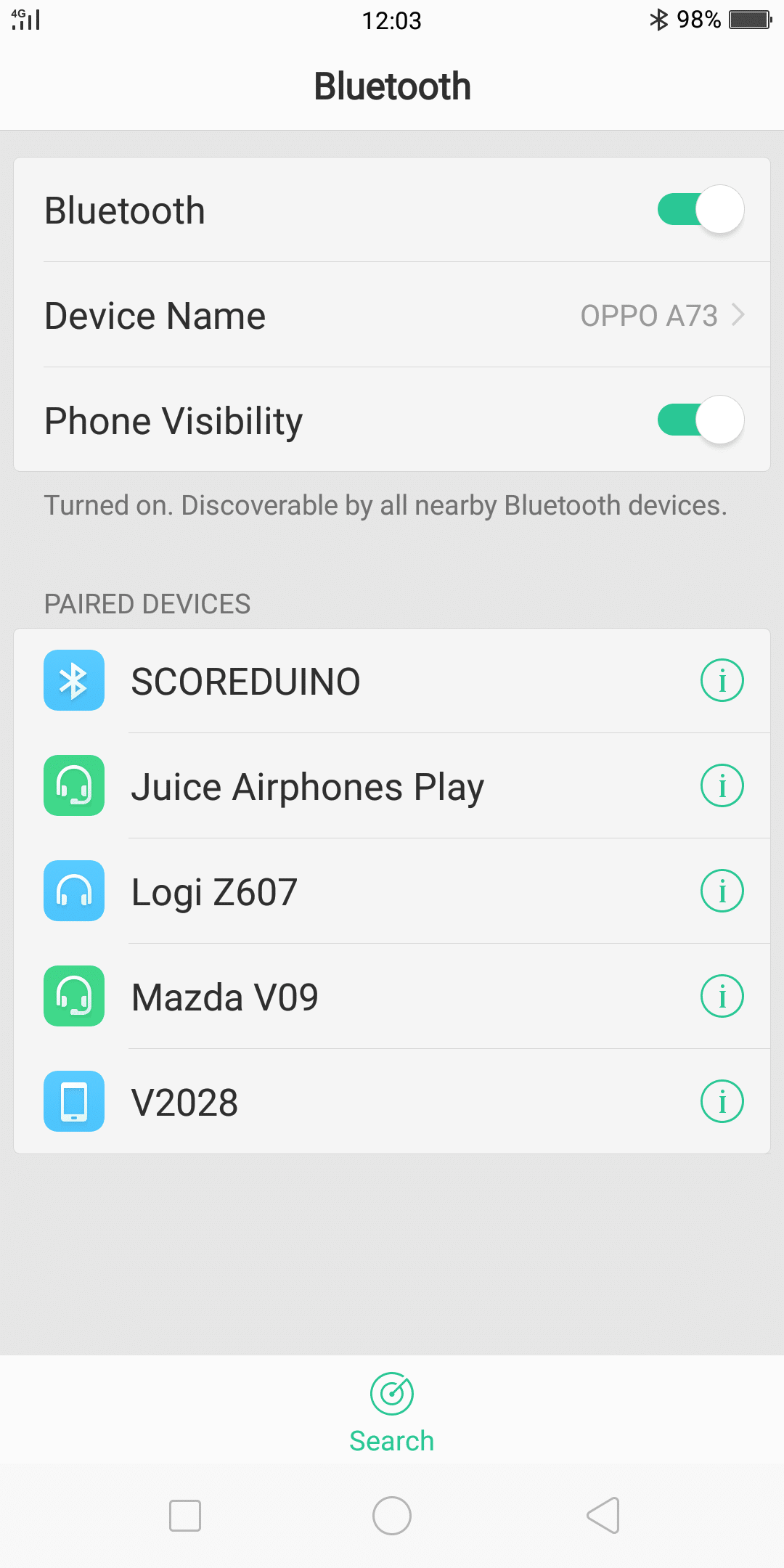
Then you will see SCOREUINO in the PAIRED DEVICES list[/caption]
[caption id="attachment_12905" align="alignnone" width="337"]
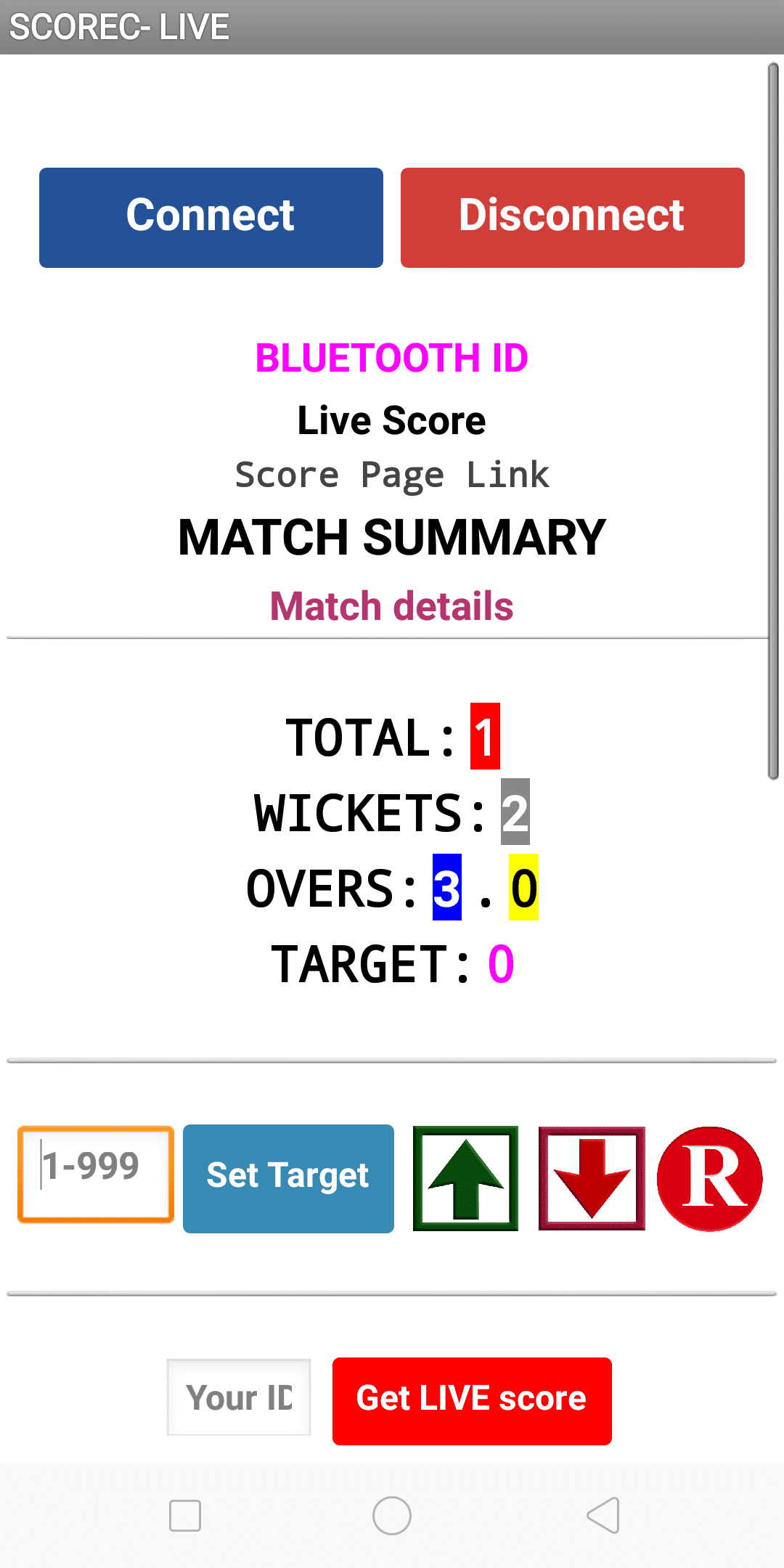
Go to your app and press CONNECT button[/caption]
[caption id="attachment_12906" align="alignnone" width="358"]
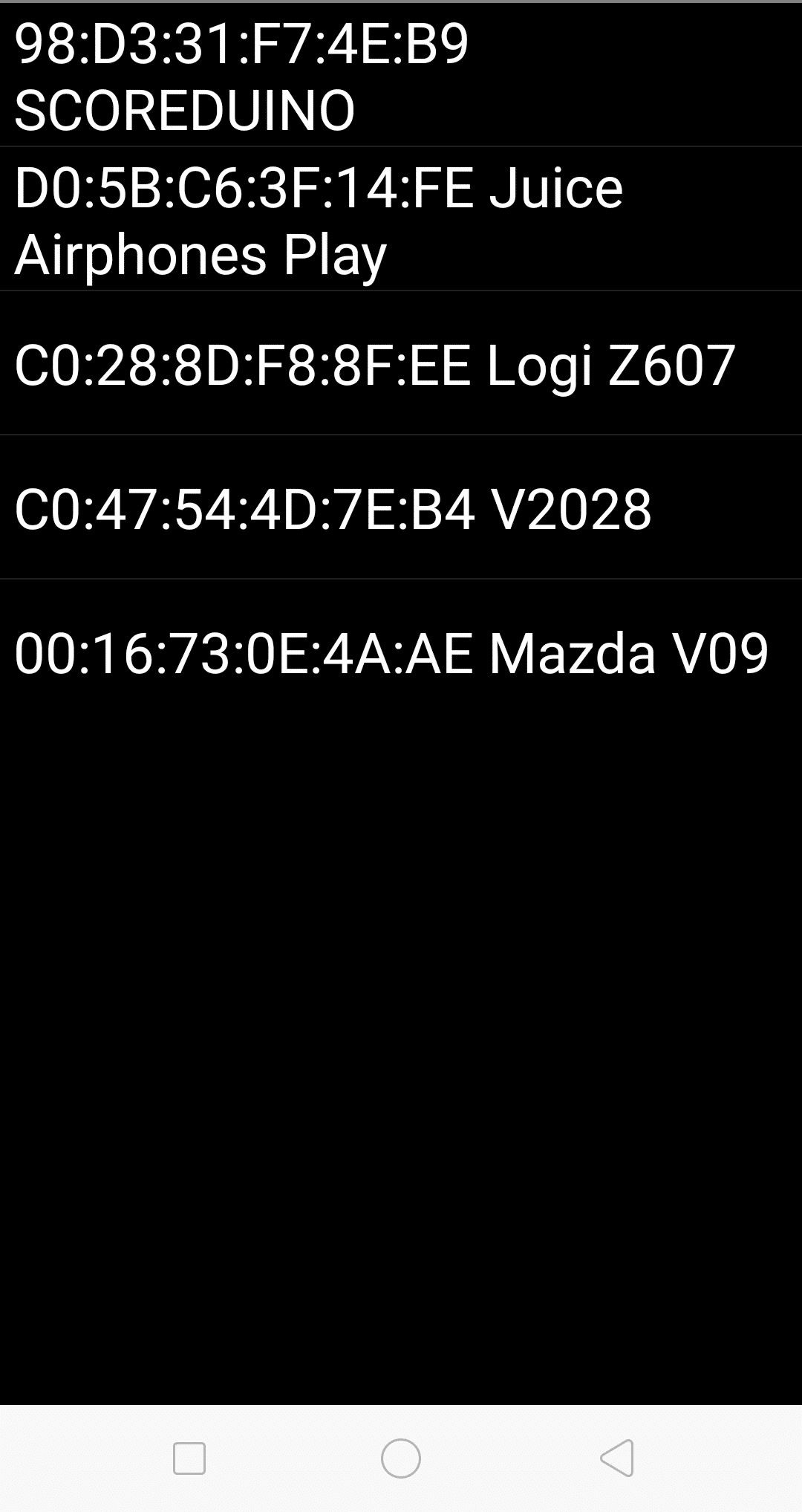
Select SCOREDUINO from the list of Bluetooth devices[/caption]
[caption id="attachment_12907" align="alignnone" width="339"]
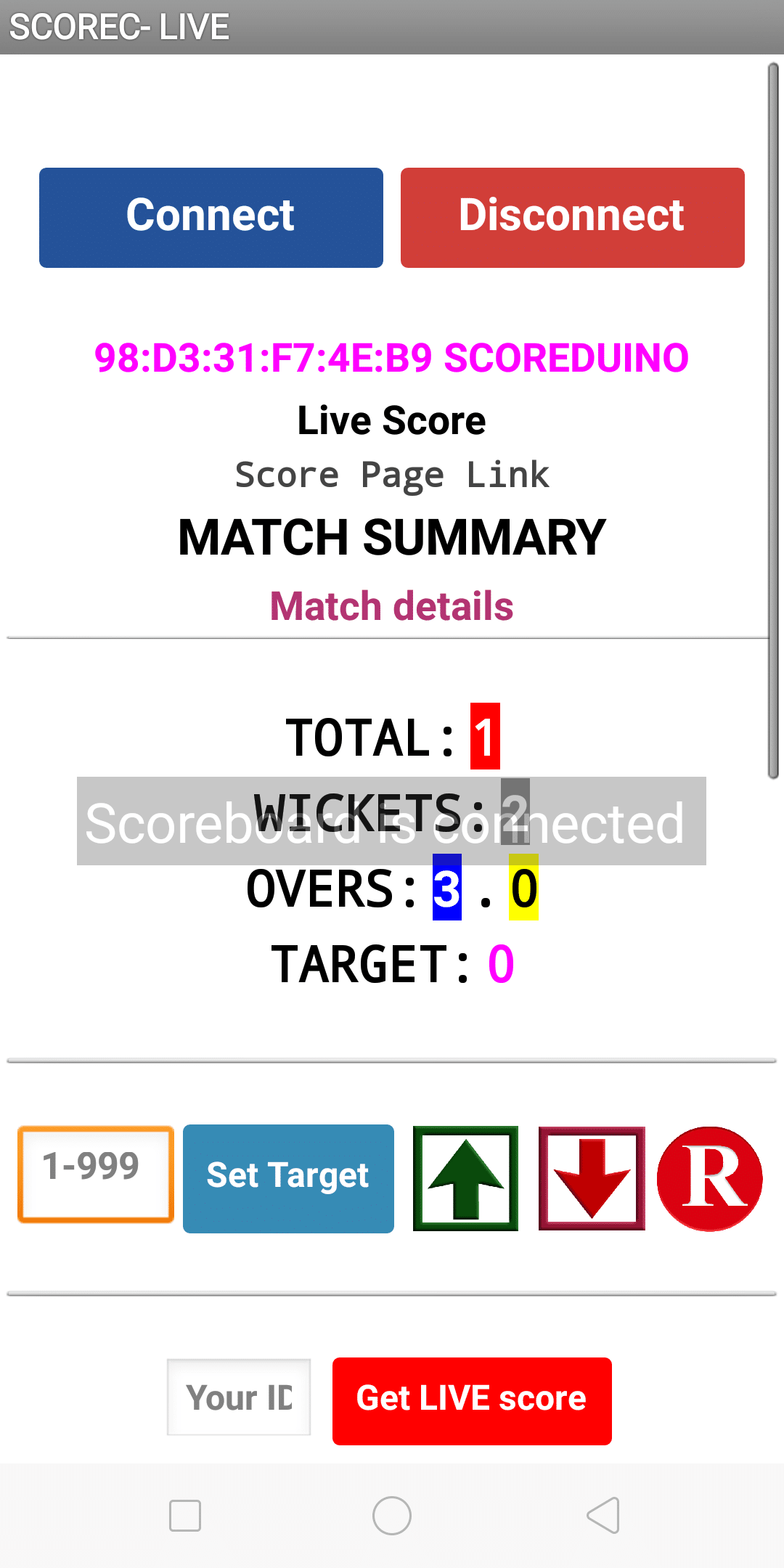
After you select SCOREDUINO, you will see the Bluetooth ID on the main screen and you will hear the sound 'SCOREBOARD IS CONNECTED'[/caption]